Custom ERP & CRM Software Development
Manage your business processes on one platform, strengthen customer relationships and increase efficiency with custom ERP and CRM software.
ERP & CRM Solutions: scope and approach
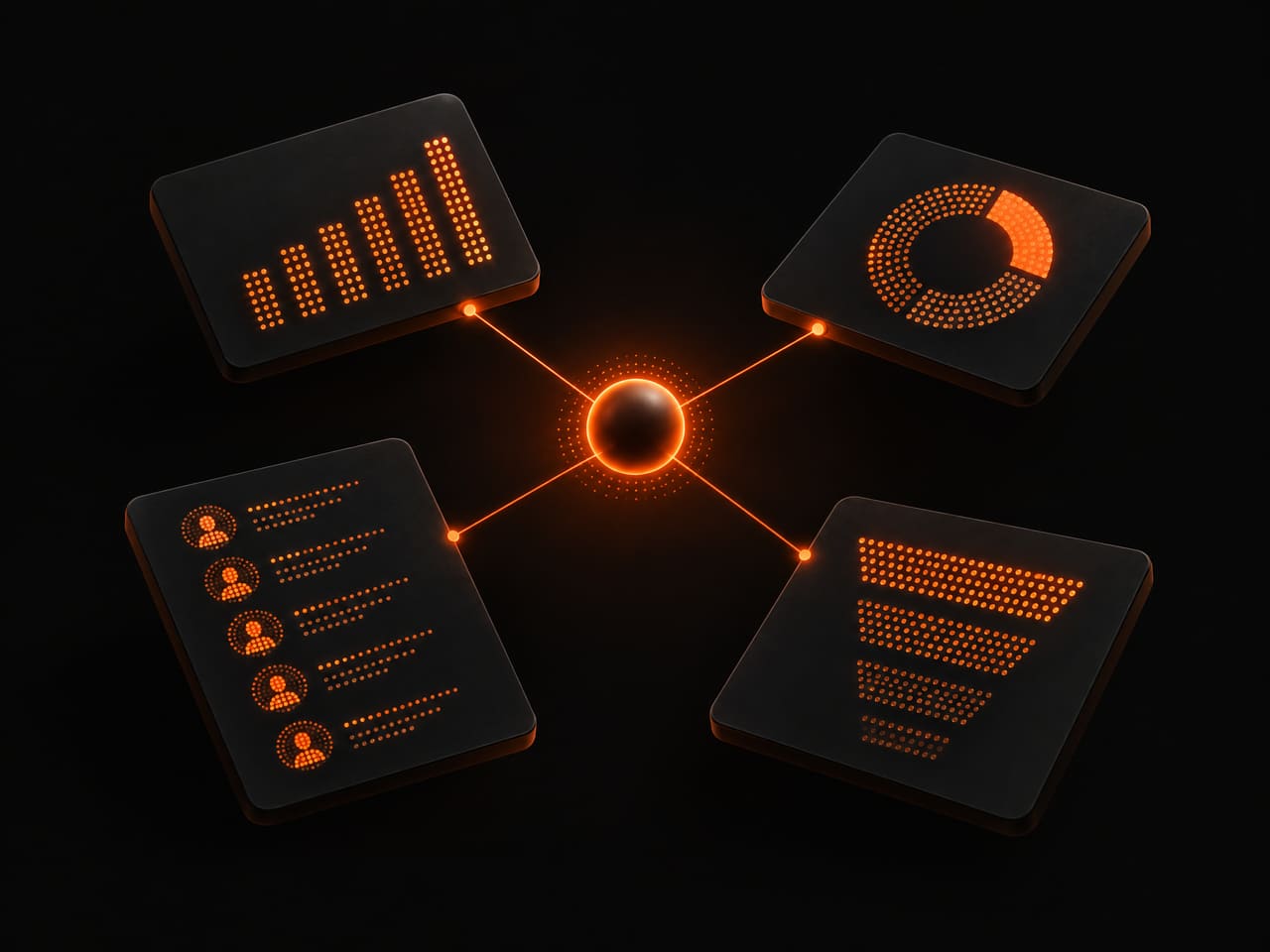
We provide enterprise resource planning (ERP) and customer relationship management (CRM) solutions that unite all departments of your business on a single platform. We digitalize your business processes with inventory management, accounting, human resources, sales tracking, customer relations and reporting modules. In addition to SAP, Salesforce, Microsoft Dynamics and HubSpot integrations, we also develop custom ERP/CRM software tailored to your business. We increase your operational efficiency by strengthening your data-driven decision-making processes.
Technologies we use
Who it is for and what it solves
When orders sit in one spreadsheet, customer notes in email, stock figures in another file and accounting in a separate program, the real cost as a business grows is not a software license; it is the time spent reconciling information. ERP (enterprise resource planning) and CRM (customer relationship management) systems aim to bring that scatter under one order. We start not from the software but from how the work is done today.
Not every business needs an ERP, and often the most sensible starting point is a ready-made CRM configured properly and connected to the tools you already use. Custom development earns its place when your workflow does not fit ready products, when a per-user license model gets heavy as you grow, or when you need several systems on a single screen. We weigh ready product, custom software or a mix by looking at your own data and processes.
Our buyers are small and mid-sized businesses and agencies. On the business side, they are teams managing stock, orders, quotes, accounts and dealer relationships. On the agency side, they are teams whose client needs a portal, a work-tracking panel or a CRM integration, and who want a technical partner to deliver it. In both cases the goal is the same: enter data once, let the right person see it with the right permissions, and be able to trust the reports.
What we do in ERP & CRM Solutions
Process analysis and data map
We trace, step by step, whose hands an order, a quote, a stock movement or a customer request passes through today. Where is each piece of information kept, which piece is written differently in two places, and which approvals run through email? The output is a map of the current state, a proposed new flow and a list of what stays outside the first release.
Ready product or custom build
We make the comparison in writing: which part of your requirements list a ready product meets as standard, which part needs configuration, and which really calls for custom software. We set the per-user license cost beside the ownership cost of a custom build, hosting and upkeep included. The decision is yours; we make the reasoning open.
Custom module development
We build modules only as far as you need them: stock and inventory, quotes and orders, work orders and approval flow, customer and opportunity tracking, a dealer or customer portal. The interfaces are web-based and simplify according to role. For field teams, a mobile app connected to the same data can extend the system if needed.
Data migration
We move the records in your old spreadsheets or previous system into the new structure: field mapping, merging duplicate records, fixing malformed values, a trial migration and verification. At go-live we back up the old data and plan the way back in advance.
Integrations
We connect the system to your accounting program, e-commerce platform, shipping, payment or email tools through APIs or webhooks; the own APIs of ready CRMs such as HubSpot and Salesforce are in scope too. We decide up front which system counts as the source of truth, and when something fails the record is queued rather than lost. AI steps such as summarizing and classification can be added later.
Permissions, audit trail and reporting
We prepare a role and permission table so every user sees only the records their role needs. We add an audit trail that records who made a critical change and when. Reports are built around the questions managers actually look at: sales, pending orders, collection status. The team approves the measure definitions together.
Process
Discovery: talking to the people who do the work
We speak not only to managers but to the people who enter the order, count the stock and call the customer. The real work often differs from the described process, so we also look at the spreadsheets, email habits and side notes in use.
Current state and target flow
We draw today's flow and its pain points and then prioritize the new one. What goes into the first release and what waits goes on a separate list. We suggest building not the whole system at once but starting with the part that hurts most.
Product, custom software or mixed: the decision
We compare the requirements list with ready products and present the options in writing in terms of fit, cost and dependency. The healthiest outcome is often a mix: standard parts in a ready product, the process that sets you apart in a custom module.
Data preparation and trial migration
We start cleaning data without waiting for the interface to be finished, because data problems tend to surface last and delay the most. A small trial migration shows field mappings and errors early.
Build with demos on real data
We develop modules in short cycles and, at the end of each, show your team a version running on your real data. Feedback from the people on the floor gives better direction than a specification on paper.
Acceptance testing, training and parallel running
We run the acceptance scenarios with your users. Team training is short, hands-on and organized by role. Running the old and new setups side by side for a period lets differences and gaps be seen safely.
Go-live and early support
We write down the cut-over day, the way back and who checks what in advance. After go-live we keep a close watch during the first period so problems are caught early. Optional maintenance or work on request is planned after that.
What affects the price
Number of modules and process complexity
Stock tracking and an order flow with production orders, multi-step approval and pricing rules are not the same size. It is less the number of modules than the number of rules and exceptions in each that sets the scope.
Number of users and role structure
Few users with many different permission levels still bring a separate security and testing load. Letting external users in, such as dealers or customers, raises design and security requirements.
Migration volume and data cleanliness
Orderly data from a single source and records piled up across several spreadsheets over the years, duplicated and inconsistent, are very different jobs. Migration labor is usually set by the state of the data.
Number of integrations and the API quality of the other side
Each connected system is its own development, testing and monitoring load. Whether the other system's API is documented and access can be obtained directly affects the pace and the budget.
Balance of ready-product license and custom build
In a ready product, the license fee is a recurring cost that grows with users and features and is paid to the vendor; in a custom build, hosting and upkeep costs stay with you. License and hosting costs are shown separately from labor in the quote.
Reporting and management dashboards
Ready-made lists and customizable dashboards fed from several sources, with export needs, are different scopes. The clearer the questions to be answered, the faster the reporting is built.
Training, documentation and maintenance
Team training, user guides, backup and update planning are separate lines. New modules or change requests after launch are planned separately from the maintenance scope.
An exact price is given once the scope is clear. In a free initial consultation we listen to your needs, then prepare an itemized quote. Write to us for a free consultation
Example projects
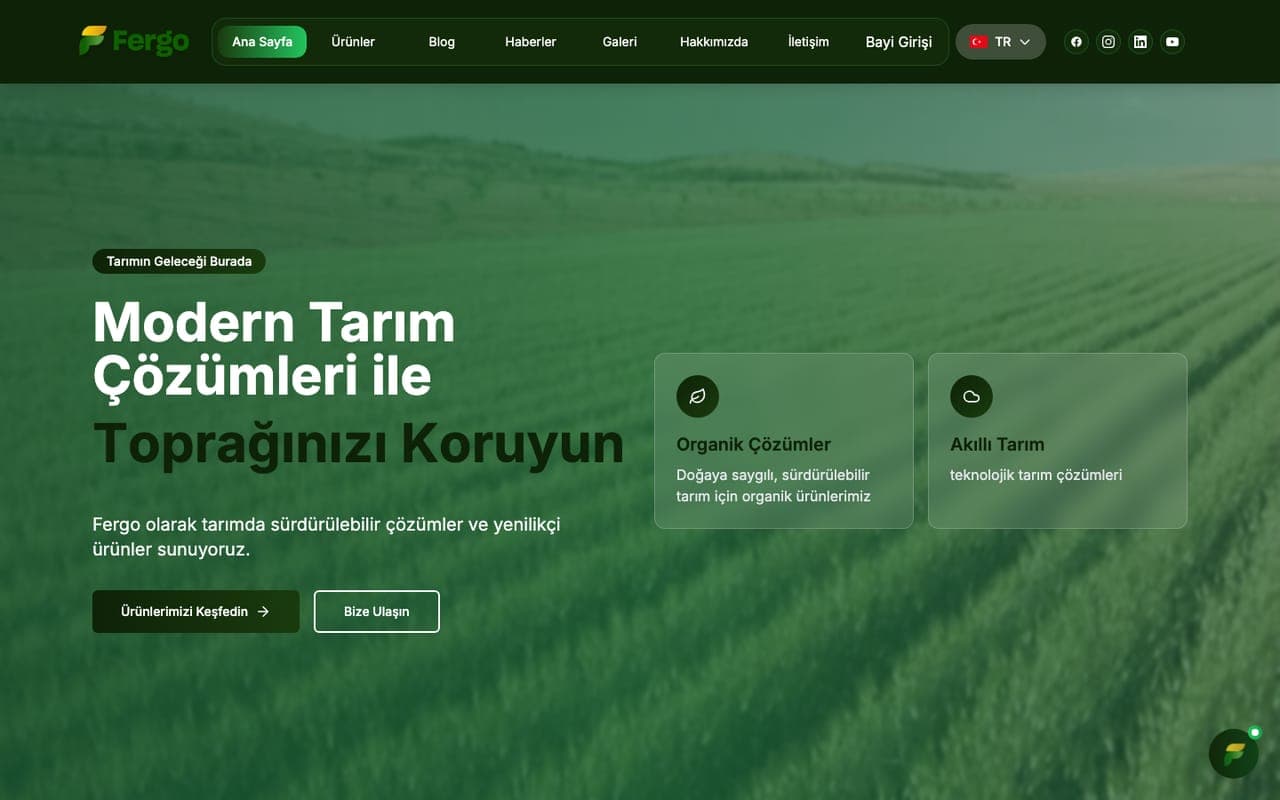
No project in our reference list is presented as an ERP or CRM job; the ones below are web projects and show only the relevant building blocks. Fergo's corporate site includes a product catalogue, news and blog modules, a dealer login and a multilingual structure, and it uses Supabase. Kayram Auto's web platform offers a broad vehicle portfolio, brand and model pages, budget-based search and a quick application flow. A catalogue, applications and a permissioned login are also the basic parts ERP and CRM rest on.
Corporate
Fergo
Corporate Website
Corporate website for Fergo, an organomineral fertiliser producer: product catalogue, blog and news modules, dealer login and a multilingual structure.
Visit the live site Fergo (opens in a new tab)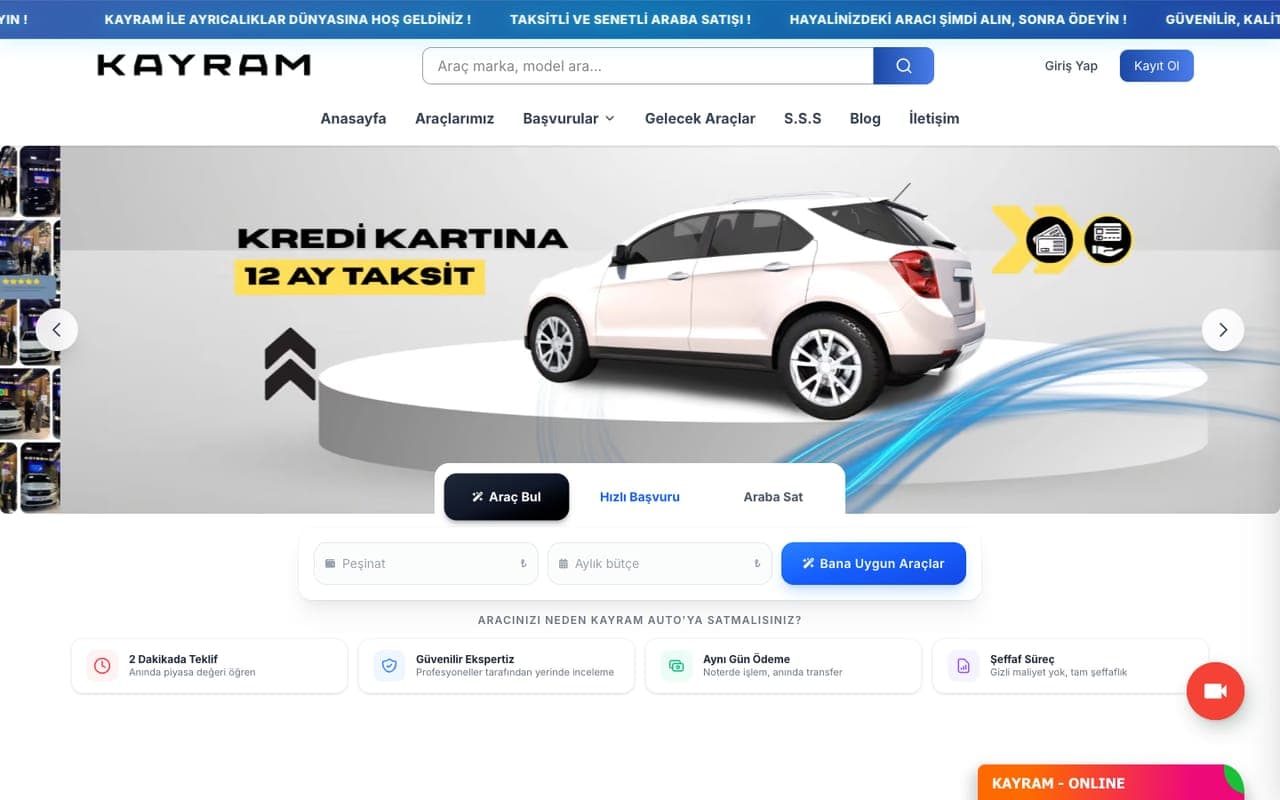
Automotive
Kayram Auto
Car Financing & Sales Platform
Web platform built for Kayram Auto, a dealer selling cars on credit and instalments: a large vehicle portfolio, brand and model pages, budget-based car finder and a quick application flow.
Visit the live site Kayram Auto (opens in a new tab)
Frequently asked questions
When should a business that runs on spreadsheets and email consider an ERP or CRM?
The time has come if you enter the same information in several places, cannot answer a stock or order question straight away, lose the customer history when an employee leaves, or spend serious time preparing reports. If your processes are simple and you have few users, well-built spreadsheets may be enough, and we will say so.
How is data migration done, and will we lose old records?
We first map the fields and clean duplicate and faulty records, then check the result with a small trial migration. At go-live the old data is backed up and can be kept available read-only for a period. We do not say that no record will ever be lost; to prevent loss we apply backup, verification and comparison steps.
Do we have to give up our current accounting program?
Usually not. The accounting program often stays separate because of legal obligations, and the new system talks to it through an API or file transfer. We suggest settling with your accountant which data should flow in which direction.
What if employees do not use the new system?
Adoption matters as much as the technical work. We involve the people on the floor from the start, strip unnecessary fields from forms, keep training short and hands-on, and agree in advance when the old way will be dropped. Management drawing its reports from the new system also strengthens use naturally.
How are user permissions and data security handled?
We design role-based access, an audit trail for critical actions, backup and access logs according to scope. For systems holding customers' personal data, the data-protection obligations are assessed by the partner law firm we work with in parallel, included in the package; we carry out the technical implementation.
Will we become dependent on the system you build?
To reduce dependence we use widely adopted technologies, prepare documentation and care about data being exportable. Access to the code repository, documentation and handover are stated in writing in the quote and the contract. If a ready product is chosen, the dependence shifts toward its vendor; we show that in the comparison too.
Do we have to set up the whole system at once?
No. Starting with the part that costs you the most time, such as orders and stock or customer tracking, is often healthier. We build the data structure to leave room for later modules, so growing does not mean rewriting from scratch.
Related services
- Digital TransformationWe provide end-to-end consulting for your digital transformation: strategy, process digitalization, data and cloud migration.
- AI Integration & AutomationWe build AI assistants and automations connected to your CRM, ERP, e-commerce platform and website. One team from discovery to build and upkeep.
- Cloud ServicesWe deliver secure and scalable cloud solutions on AWS, Google Cloud and Azure.